-1600.webp)
EduTrackEduTrack
Lesson planning that behaves like a paper planbook, not a dashboard.ダッシュボードではなく、紙の指導案のように動く授業計画。
Try the live prototype試作版を触ってみるChallenge課題
A classroom teacher plans a whole school year in a paper planbook, tracks standards in a district spreadsheet, and runs each day from memory or a sticky note. Nothing connects the plan to what actually gets taught, or to whether the standards were ever covered.教師は 1 年分の計画を紙の教案帳に書き、基準の進捗は教育委員会の表計算ソフトで管理し、毎日の授業は記憶や付箋で回している。計画と、実際に教えたことと、基準が達成できたかどうかが、どこにもつながっていない。
Solution解決
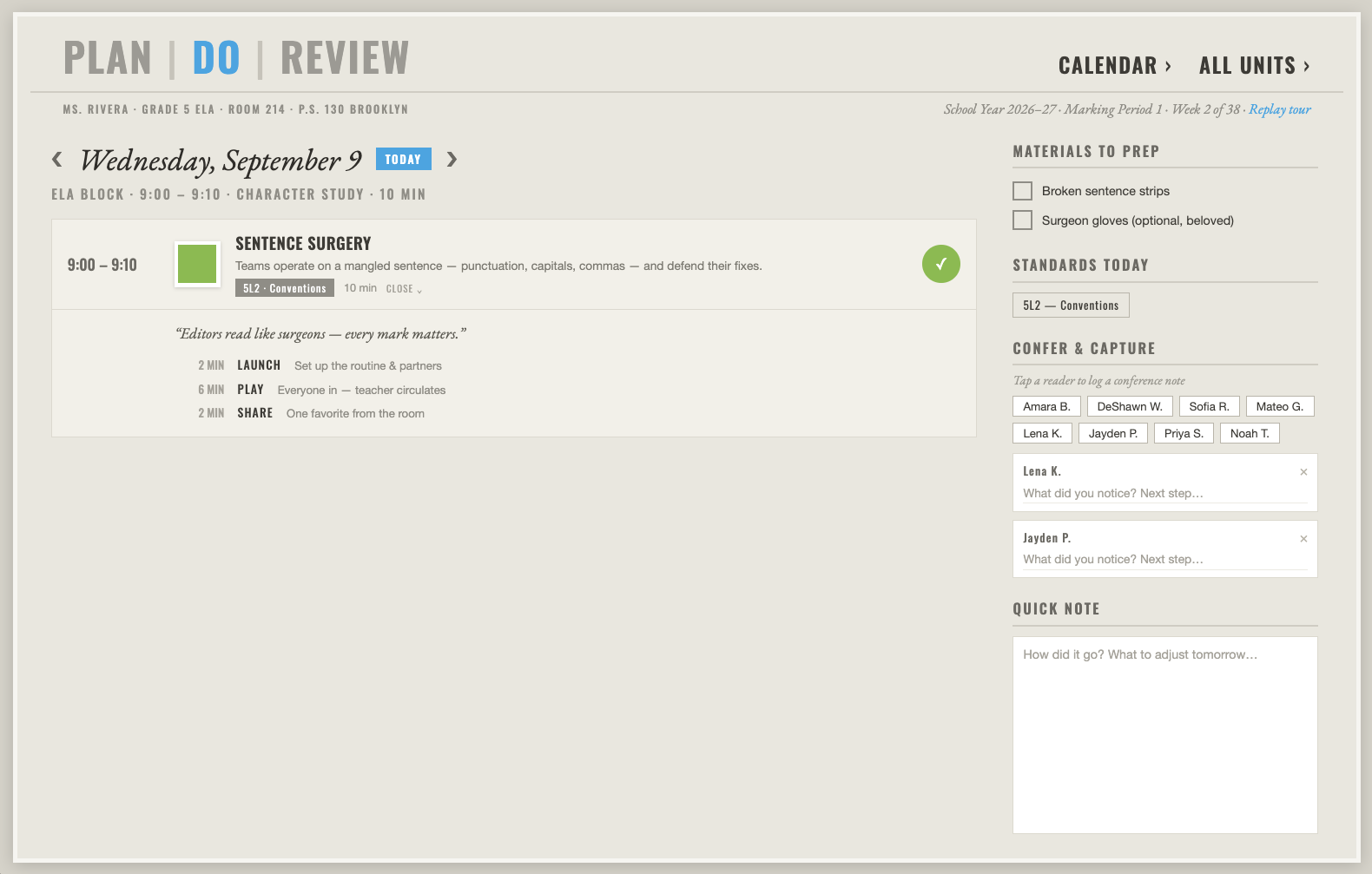
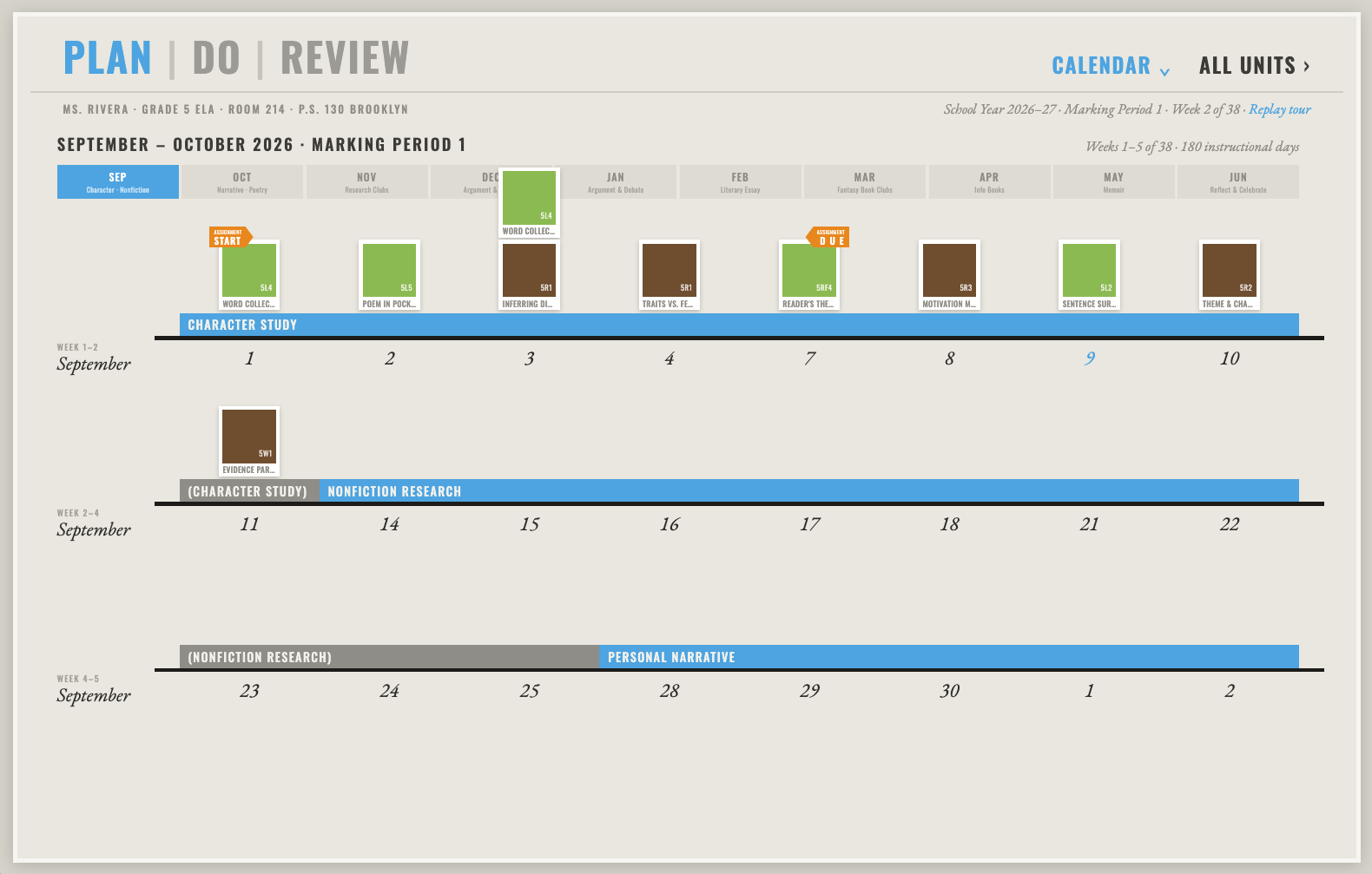
I designed a single tool tying long-range planning, the daily teaching hour and standards coverage together in one Plan → Do → Review rhythm — lessons behave like physical index cards dragged onto days, styled like a paper planbook rather than a dashboard, so standards coverage rolls up automatically from the plan and the teaching itself.長期計画・日々の授業・基準の達成を、計画→実行→振り返りという 1 つのリズムでつなぐ 1 本のツールを設計した。レッスンは物理的な index card のように扱い、日にドラッグして置く。見た目はダッシュボードではなく紙の教案帳。基準の達成状況は、計画と実際の授業から自動的に積み上がる。
Impactインパクト
I designed EduTrack to tie long-range planning, daily lessons, and standards in one Plan–Do–Review rhythm.EduTrack で長期計画・日々の授業・標準を Plan–Do–Review の一つのリズムにまとめた。
What I handled担当フェーズ
- Researchリサーチ
- Business / Strategyビジネス/戦略
- Conceptコンセプト
- UX / UIUX/UI
- Design Systemデザインシステム
- Prototypeプロトタイプ
- Build実装
- Launch / Growthローンチ/グロース
Lessons behave like physical index cards レッスンは、物理的な index card のように動く
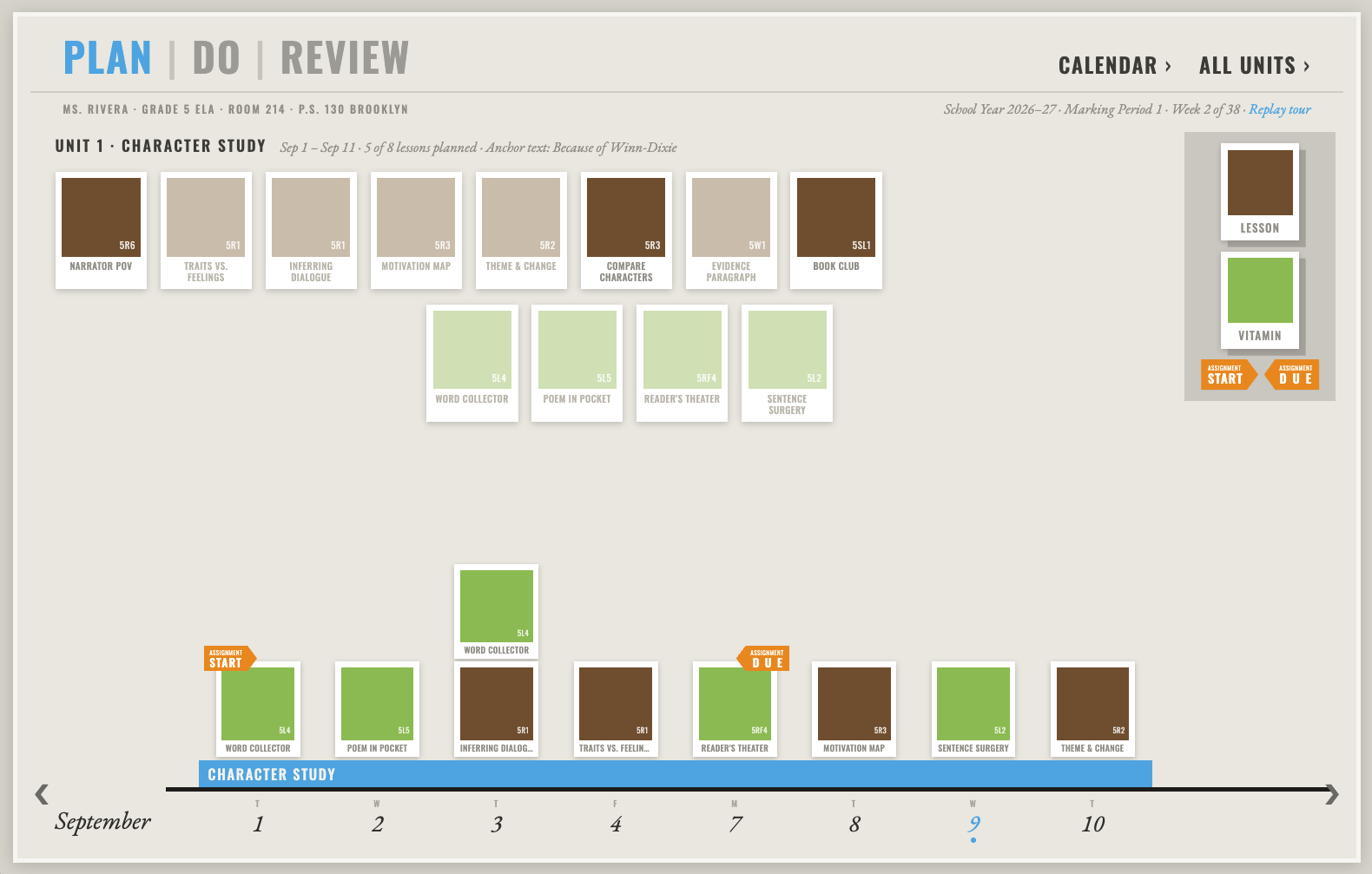
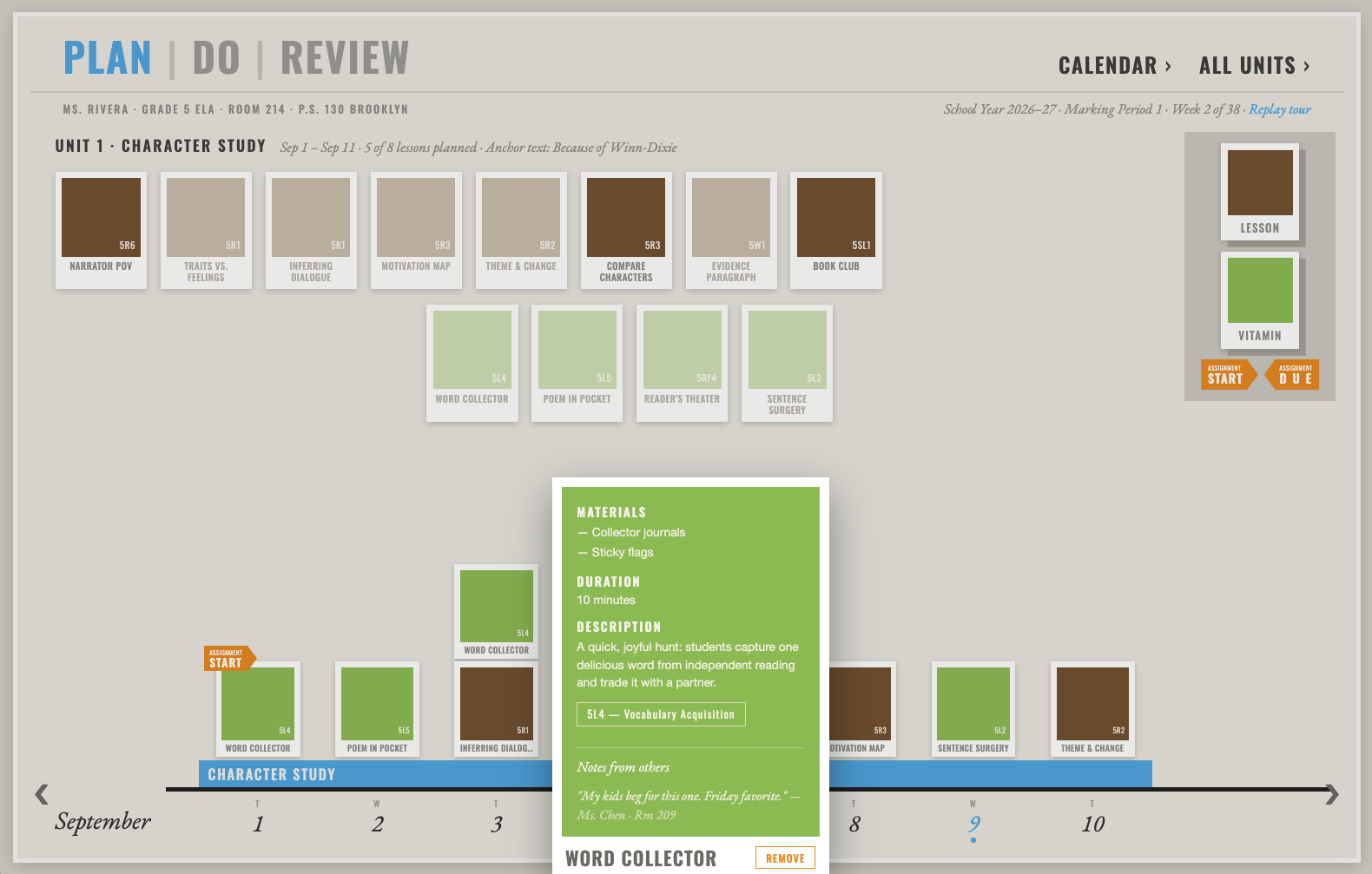
A shelf of ready-to-teach, standards-aligned lesson cards sits above a year-long timeline. A teacher picks one up and places it on a day — the same motion as arranging a paper planbook, not filling out a form. すぐに使える基準対応済みのレッスンカードが棚に並び、その上に 1 年分のタイムラインがある。教師はカードを 1 枚取り、日に置く。フォームに入力する動作ではなく、紙の教案帳を並べ替える動作そのものだ。
A planbook, not a dashboard ダッシュボードではなく、教案帳
Surfaces are warm paper, corners are square, shadows say how far a card sits off the desk — deliberately the opposite of sterile edtech, so the daily teaching hour and standards coverage feel like part of the same familiar object rather than a new system to learn. 面は温かみのある紙、角は直角、影の付き方でカードが机からどれだけ浮いているかが分かる。無機質な edtech とは意図的に逆の見た目にした。日々の授業と基準の達成が、新しく覚えるシステムではなく、使い慣れた道具の延長として感じられるようにした。
The design system behind it この見た目を支えるデザインシステム
A companion Storybook documents the full design system alongside the live prototype — the source of truth for every card, surface and shadow in EduTrack. 試作版とあわせて、デザインシステム全体を記録した Storybook を作った。EduTrack のカード・面・影のすべての基準がここにある。
Open the design system Storybook ↗ デザインシステムの Storybook を開く ↗