Hummingbirdハミングバード
Real-time classroom observation for Amplify Education — co-designed with teachers for the 2–3 second window between student interactions.Amplify Education の教室リアルタイム観察ツール。教師との共創で、生徒対応の合間 2〜3 秒に合わせた UI。
Challenge課題
Teachers needed real-time student feedback, but existing tools disrupted the learning environment — the act of monitoring was breaking the thing being monitored. Every time a teacher turned to a screen to log an observation, they lost the classroom moment they were trying to capture.教師にはリアルタイムの生徒観察が必要だったが、既存のツールは授業そのものを壊していた。観察するための行為が、観察対象を壊してしまう。画面に向かって記録を入力するたび、教師はまさに捉えようとしていた教室の瞬間を逃していた。
Solution解決
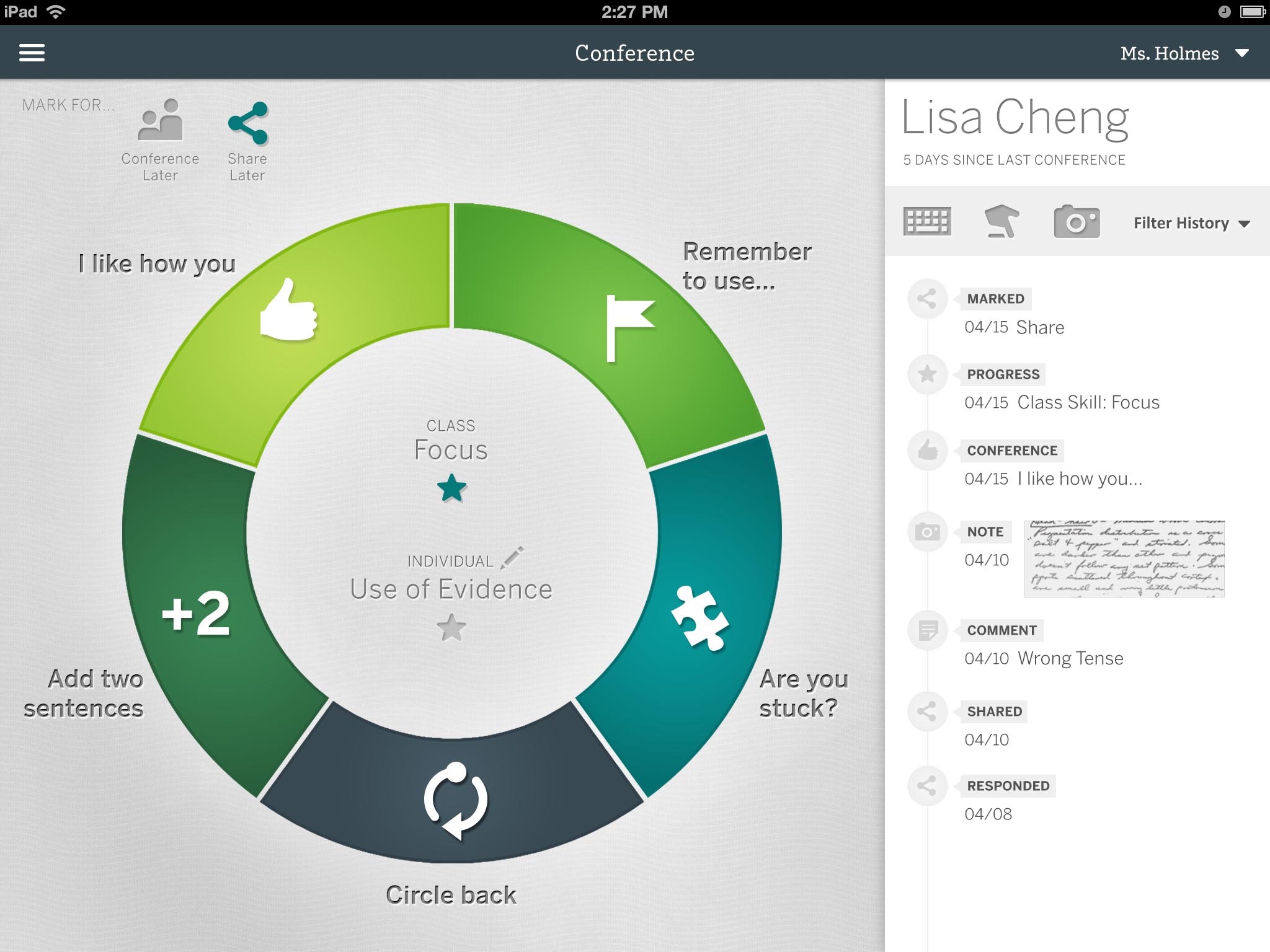
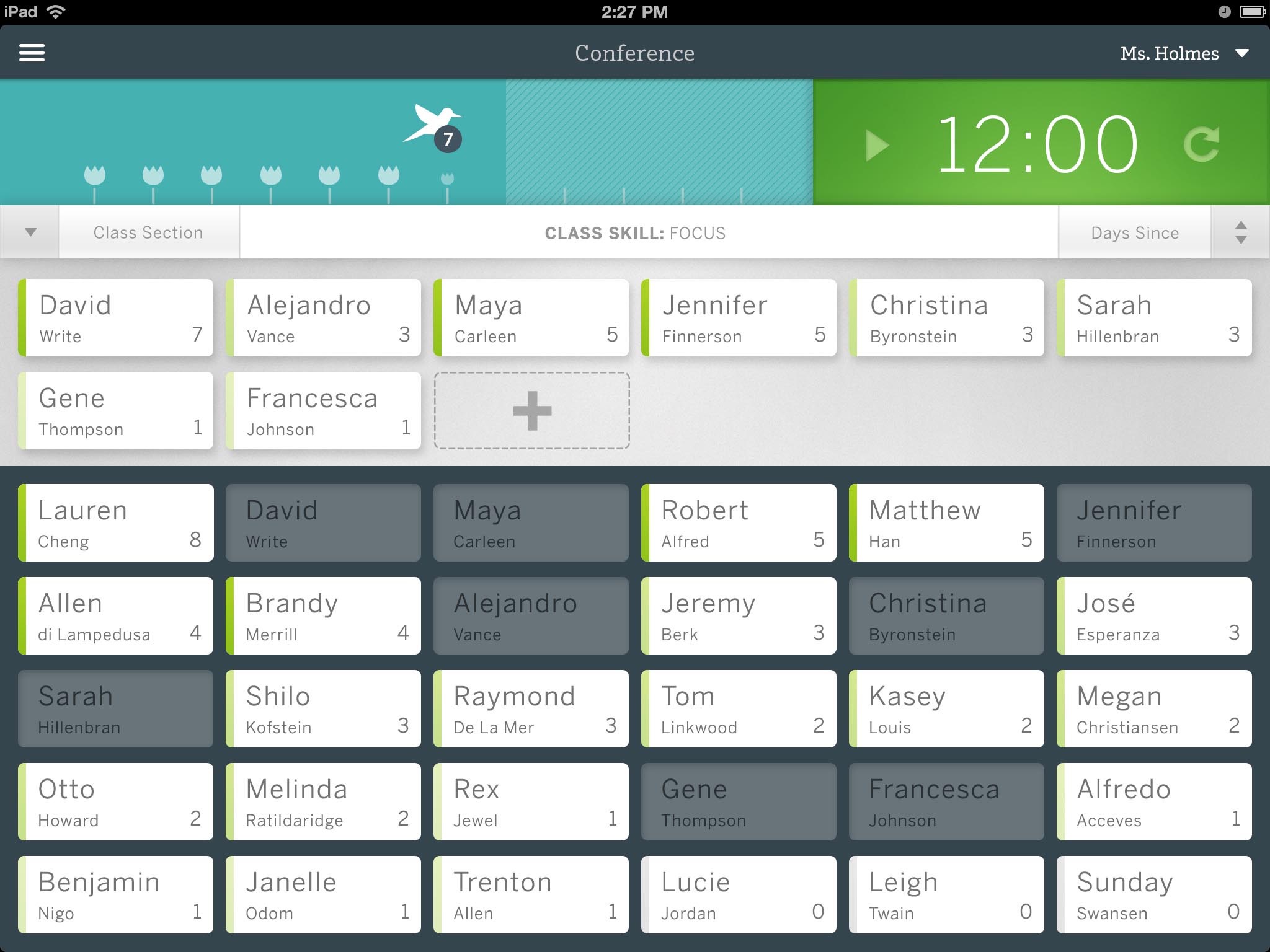
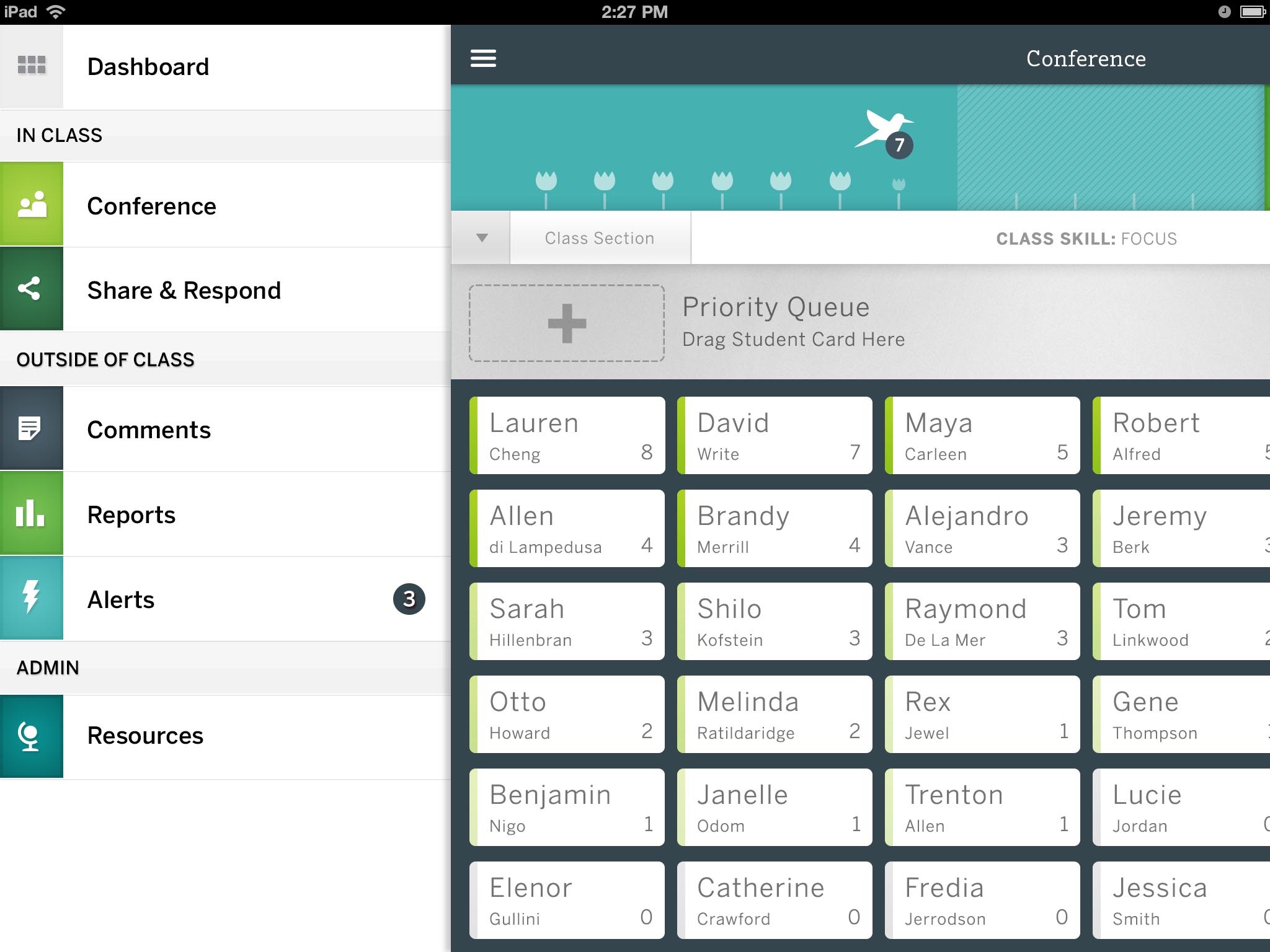
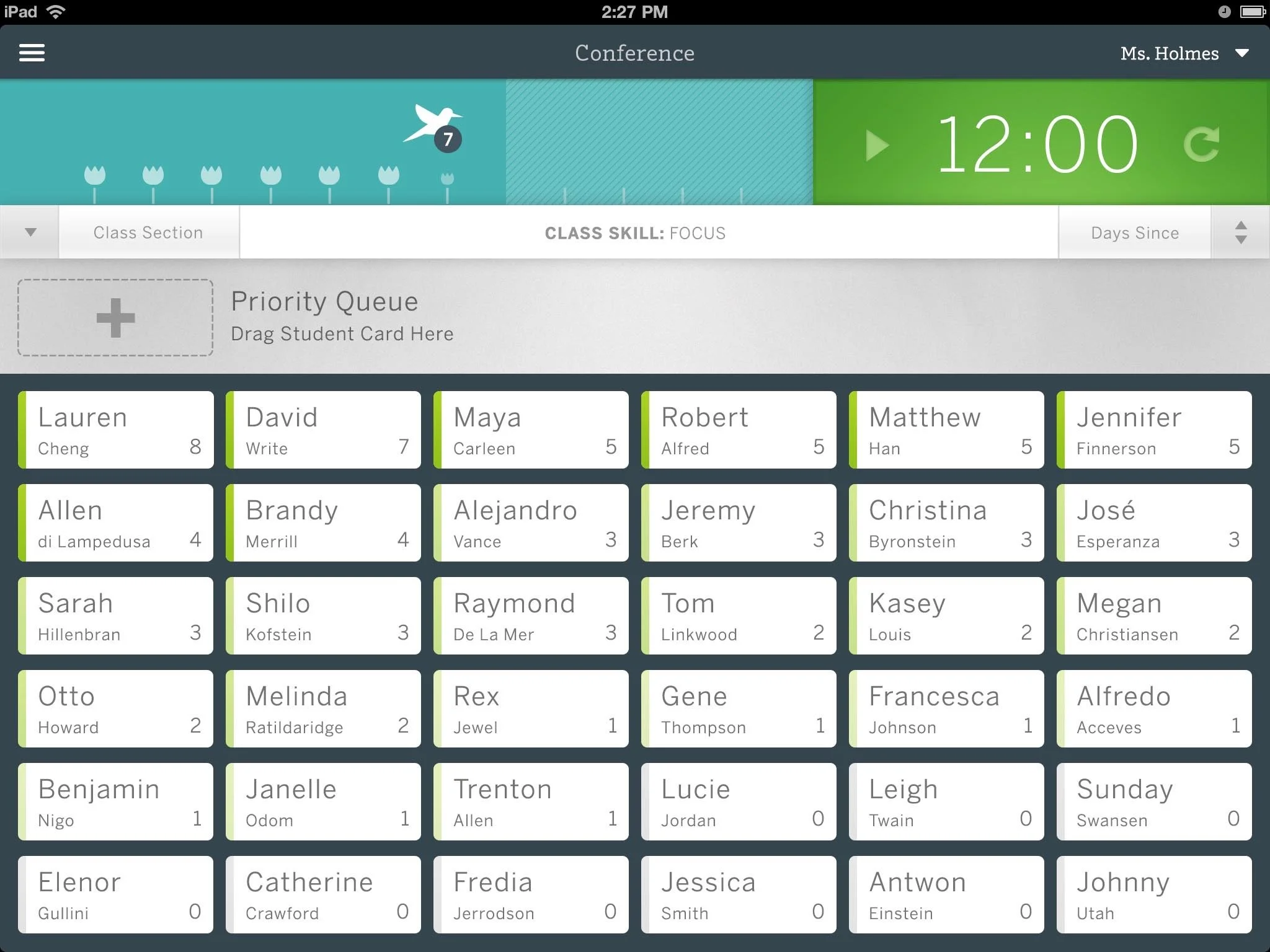
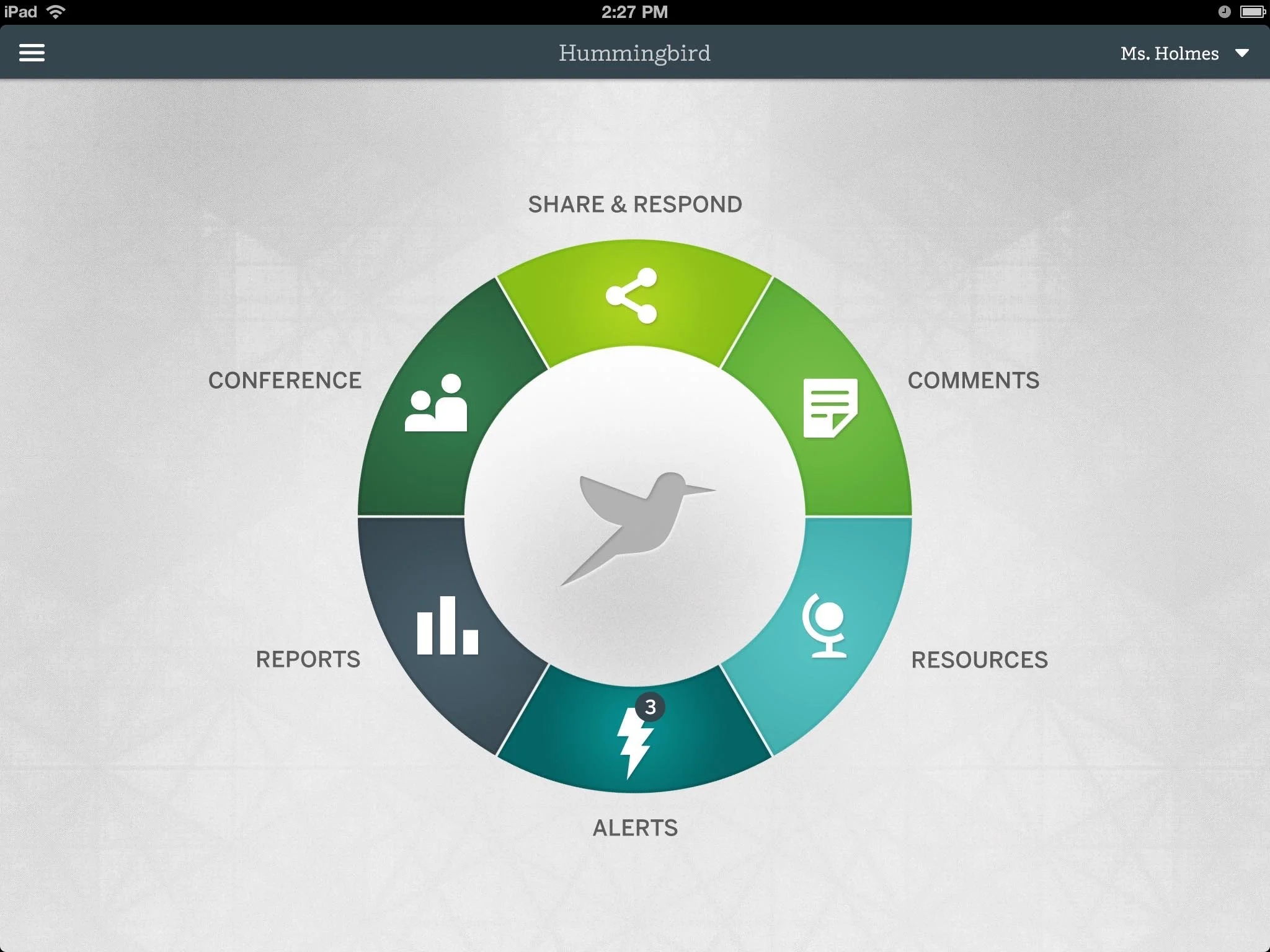
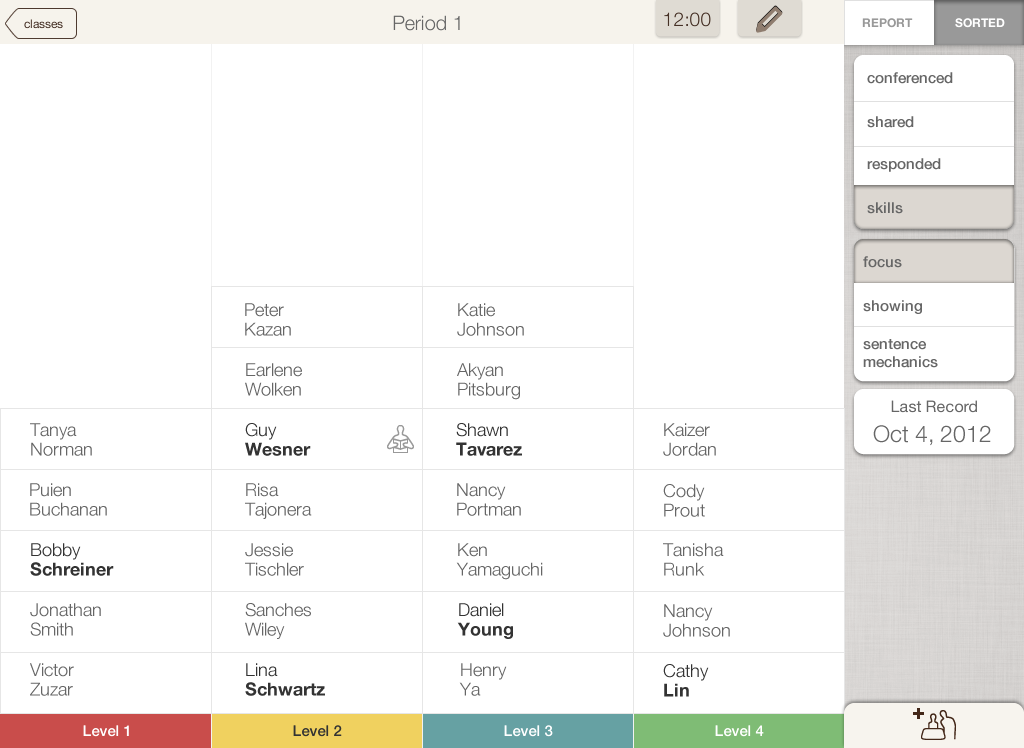
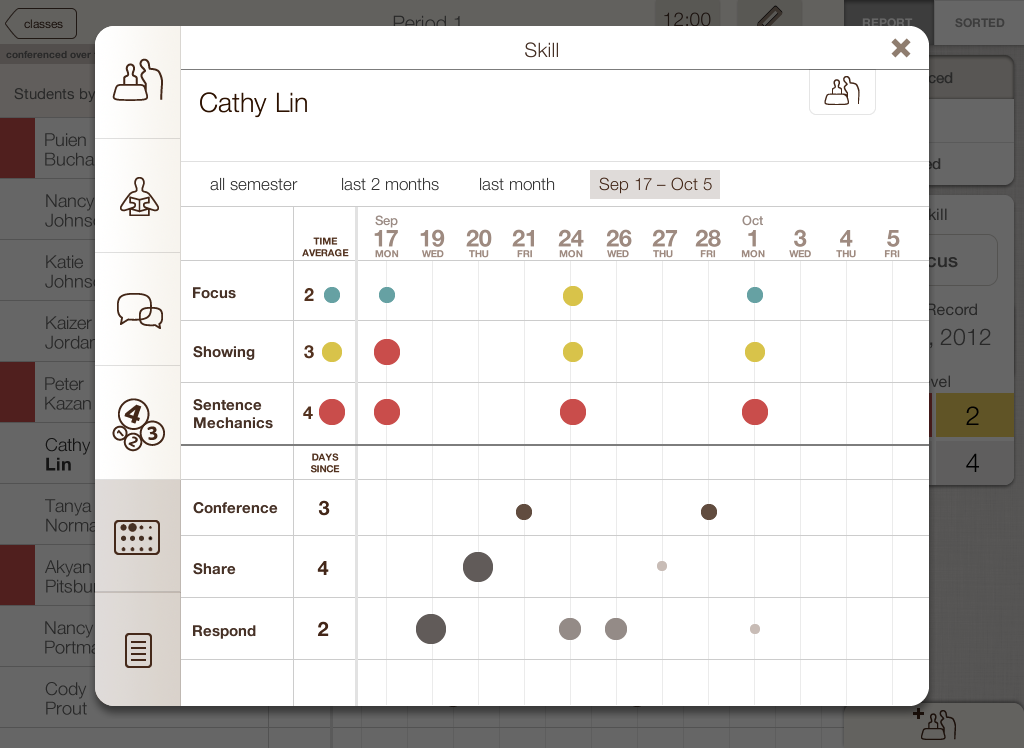
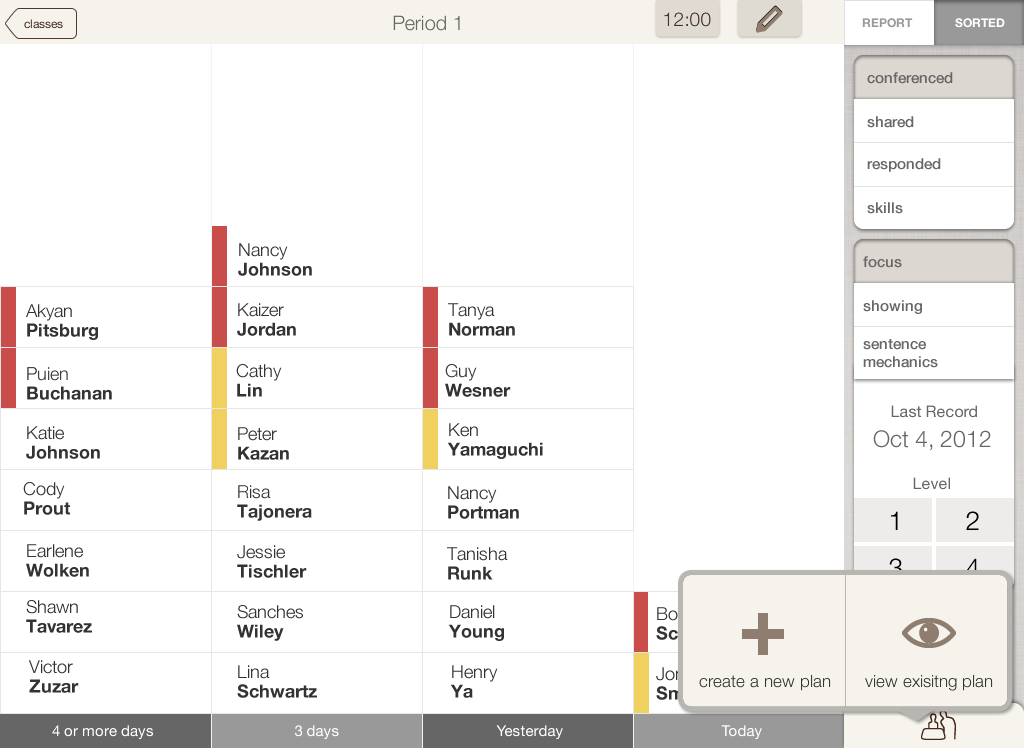
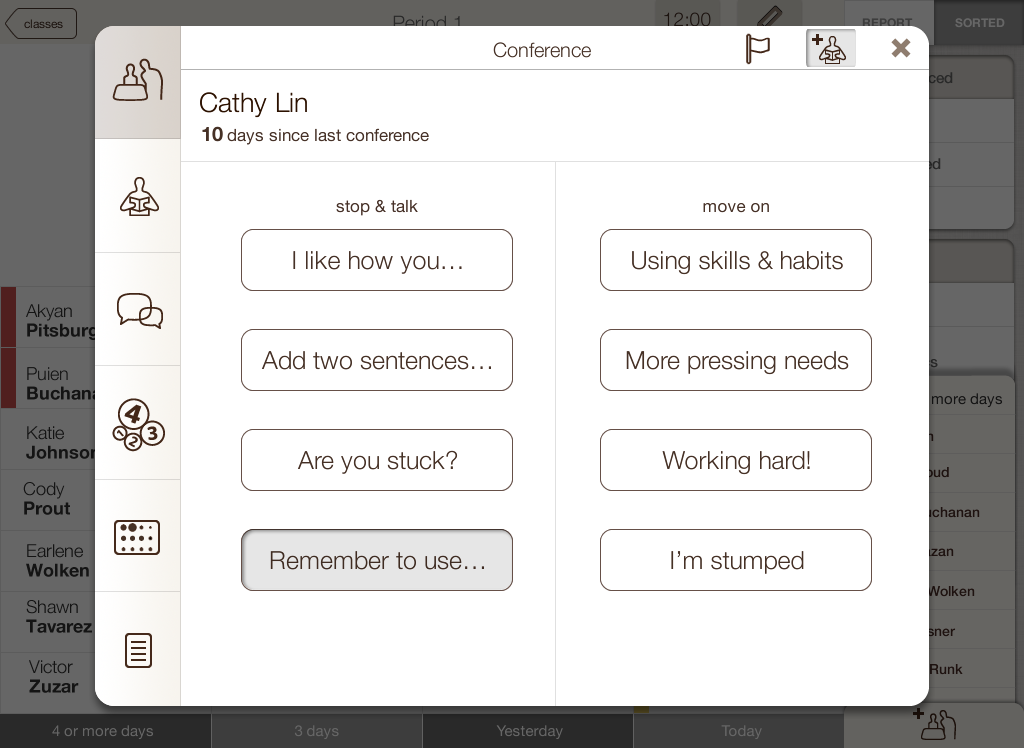
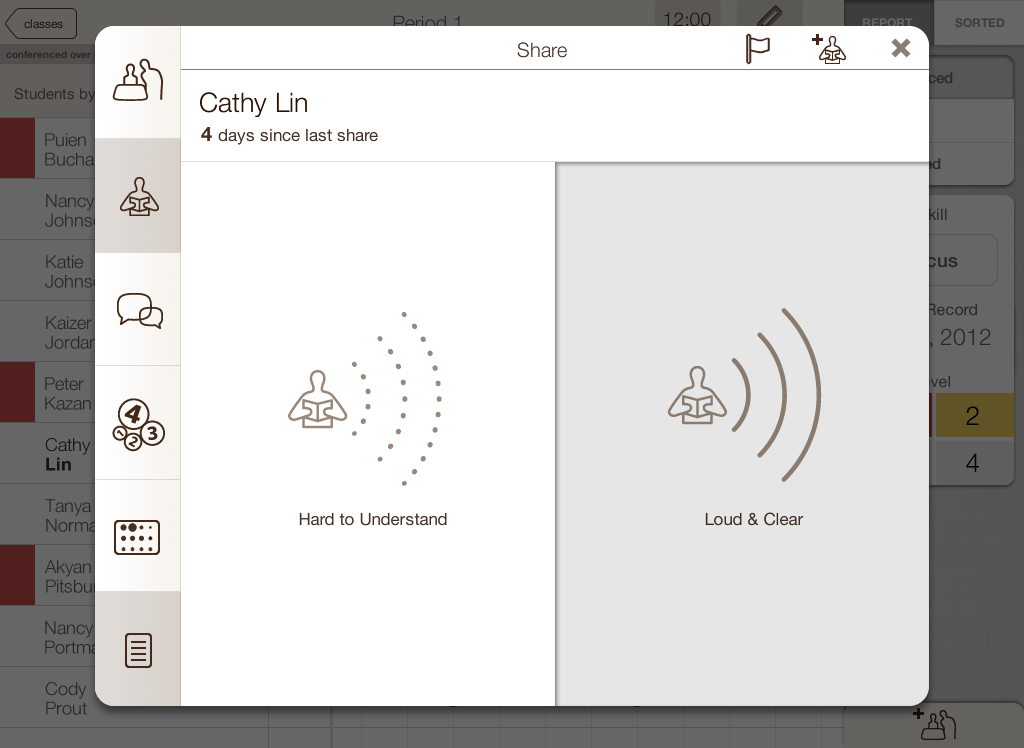
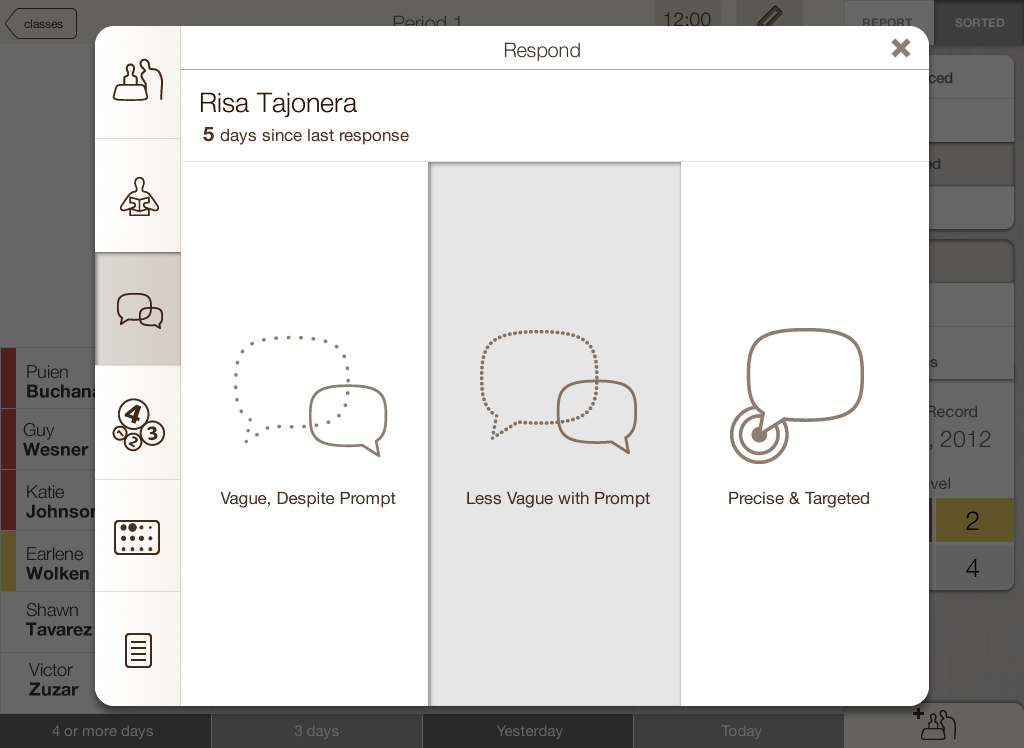
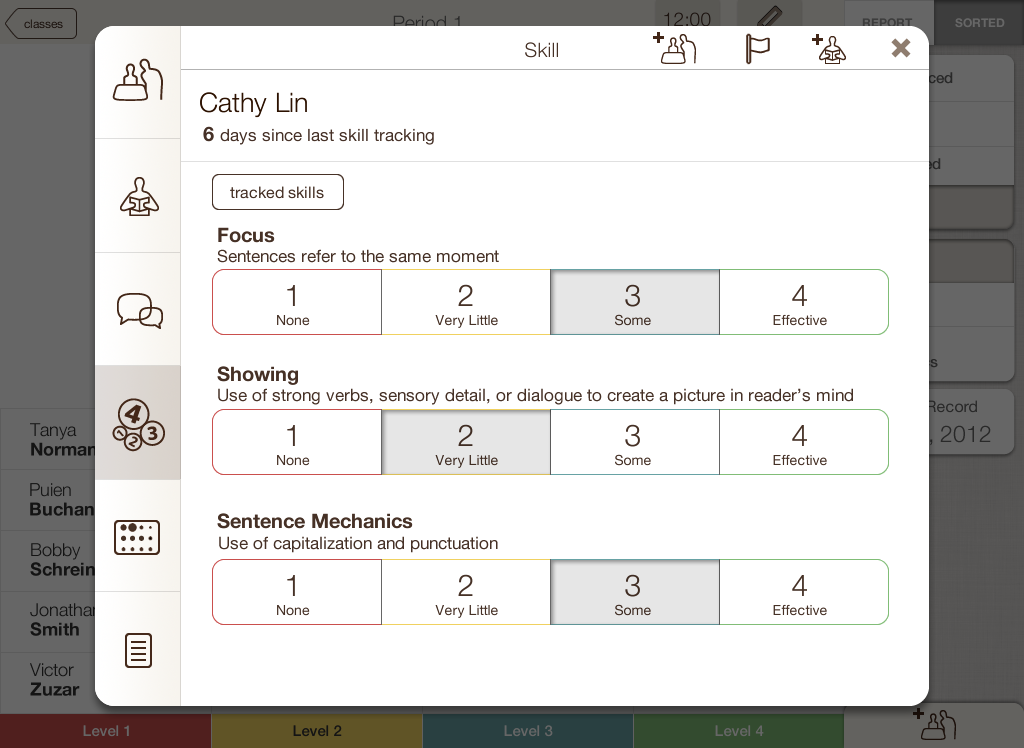
I co-designed with teachers through workshops, not observation from behind glass, and found the constraint that shaped everything: teachers operate in 2–3 second windows between student interactions. I built a 'donut-wheel' interaction around that window — large tap-without-looking targets, arm's-length typography, one tap instead of three — and tested five prototype iterations directly in classrooms. It is built for over-the-shoulder conferencing: the teacher walks the room, observes, taps to log, and stops to support a struggling student on the spot — so in a class of 40, advanced and struggling students both keep moving.ガラス越しに観察するのではなく、教師とのワークショップで共に設計した。そこで分かった制約がすべてを決めた。教師の手が空くのは、生徒対応の合間のわずか 2〜3 秒。この時間から逆算して「ドーナツ型」の操作を作った。見ずに押せる大きなタップ範囲、離れた距離でも読める文字、3 回ではなく 1 回のタップ。教室で 5 回の試作テストを重ねた。想定したのは肩越しの個別指導。先生は教室を歩きながら観察してタップで記録し、つまずいている生徒のところでその場で支える。40 人のクラスでも、先に進める子もつまずいた子も、止まらずに進める。
Impactインパクト
I co-designed Hummingbird with teachers for two-to-three-second classroom windows between students.教師と共に、生徒間の 2–3 秒の隙間向け Hummingbird を共同設計した。
What I handled担当フェーズ
- Researchリサーチ
- Business / Strategyビジネス/戦略
- Conceptコンセプト
- UX / UIUX/UI
- Design Systemデザインシステム
- Prototypeプロトタイプ
- Build実装
- Launch / Growthローンチ/グロース
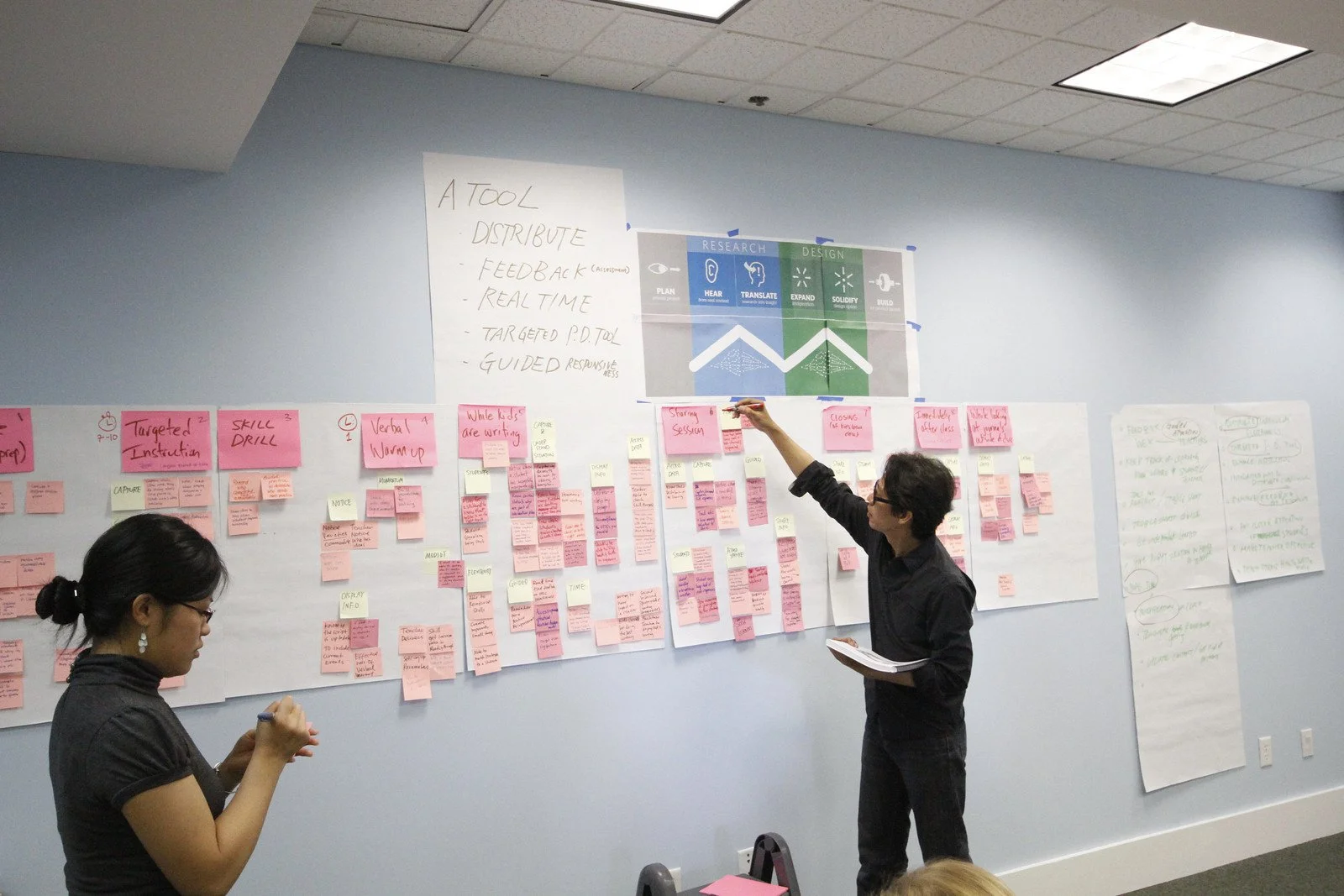
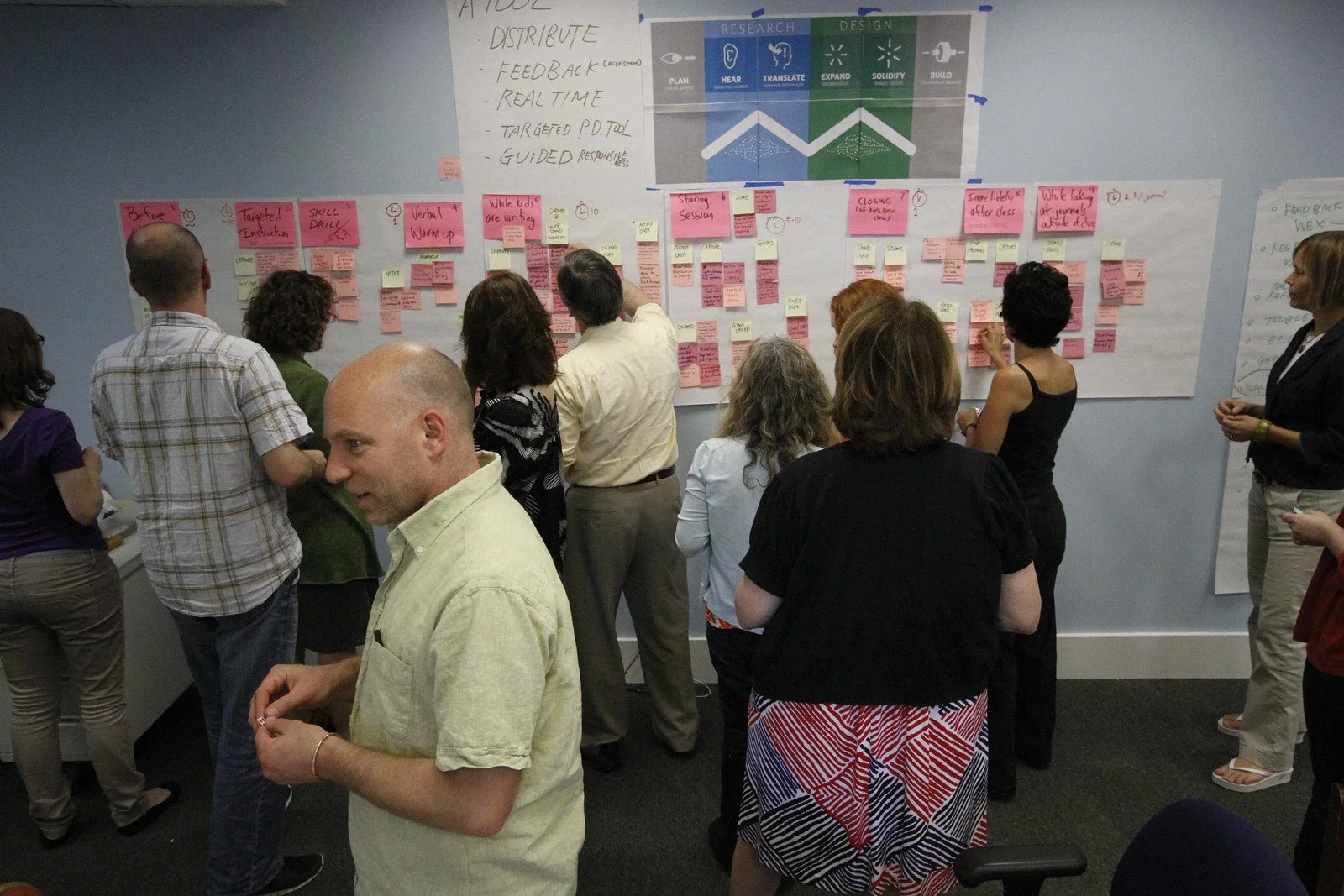
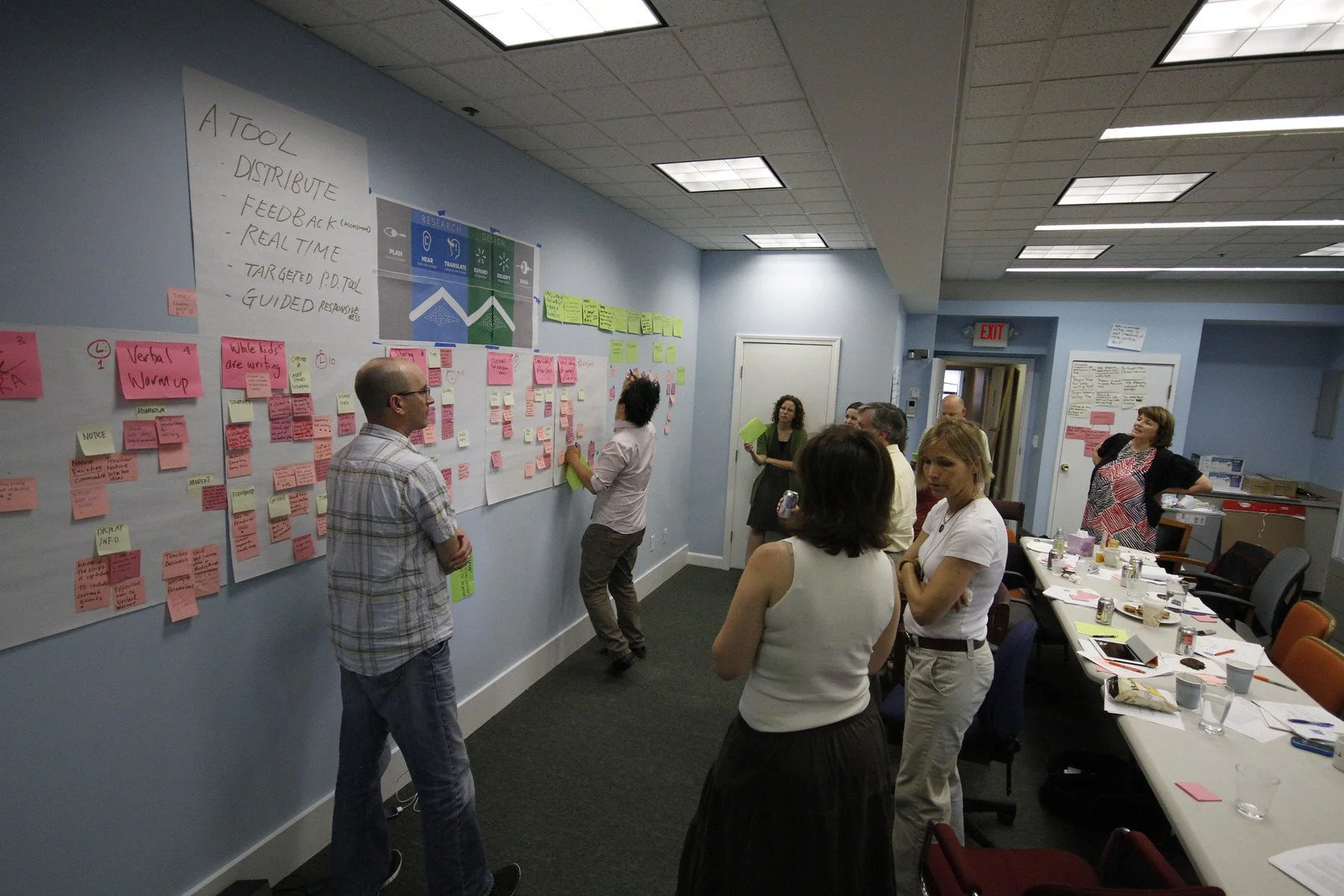
Process — co-design workshops プロセス — 共創ワークショップ
Teachers and designers at the same wall — post-its, voting, and how-might-we — before the first screen. 画面を描く前に、教師とデザイナーが同じ壁で付箋・投票・How might we を重ねた。
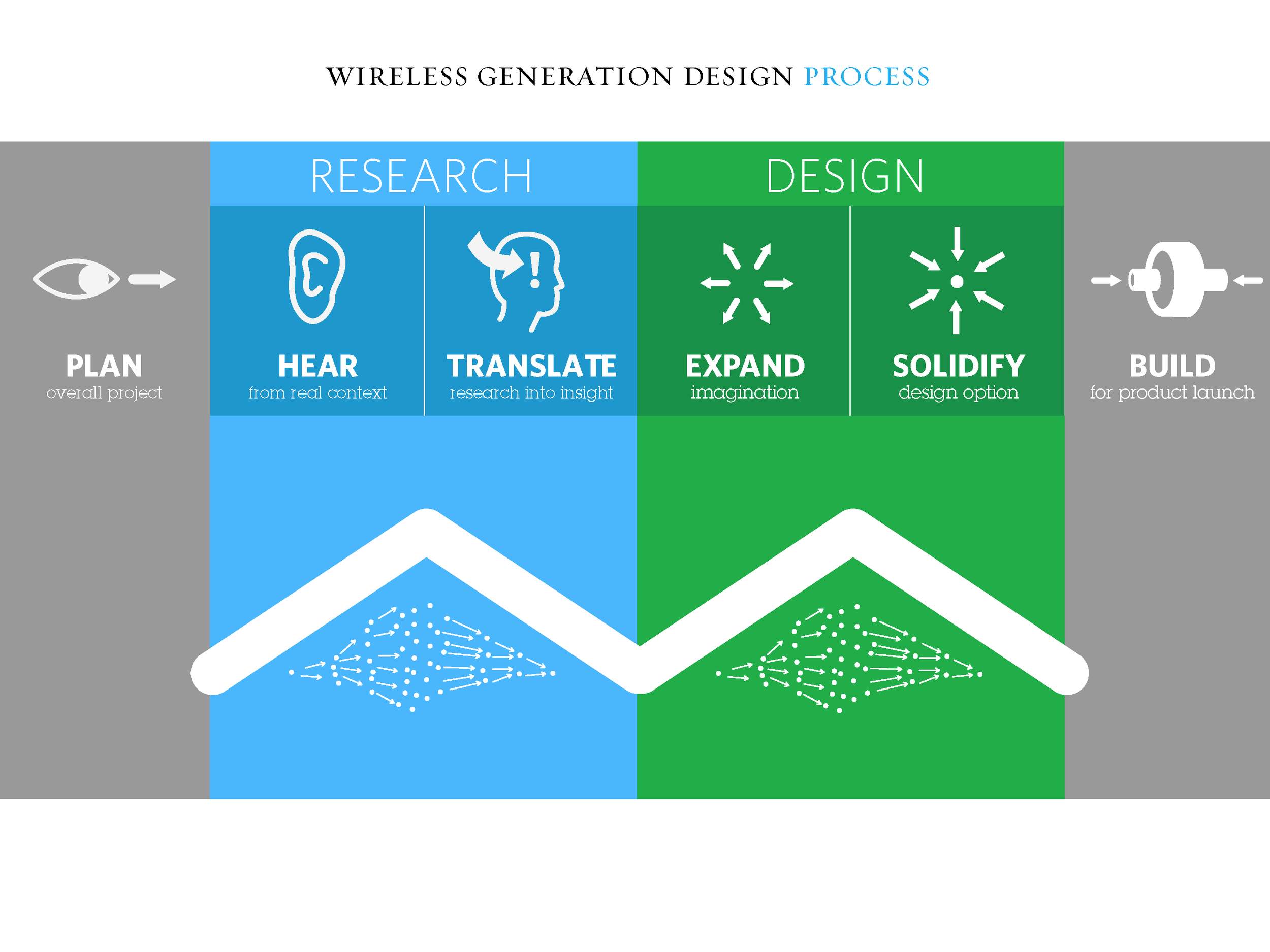
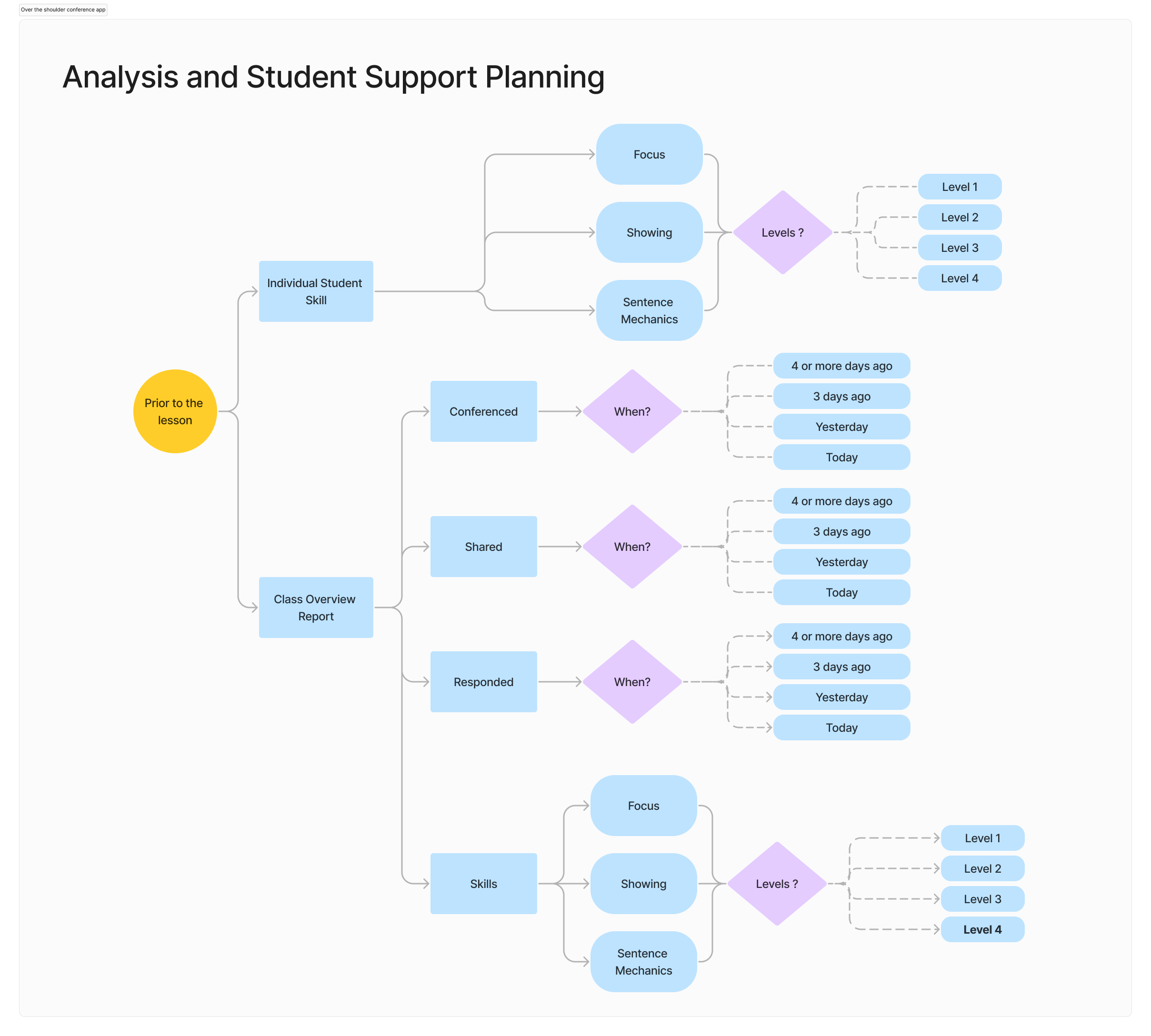
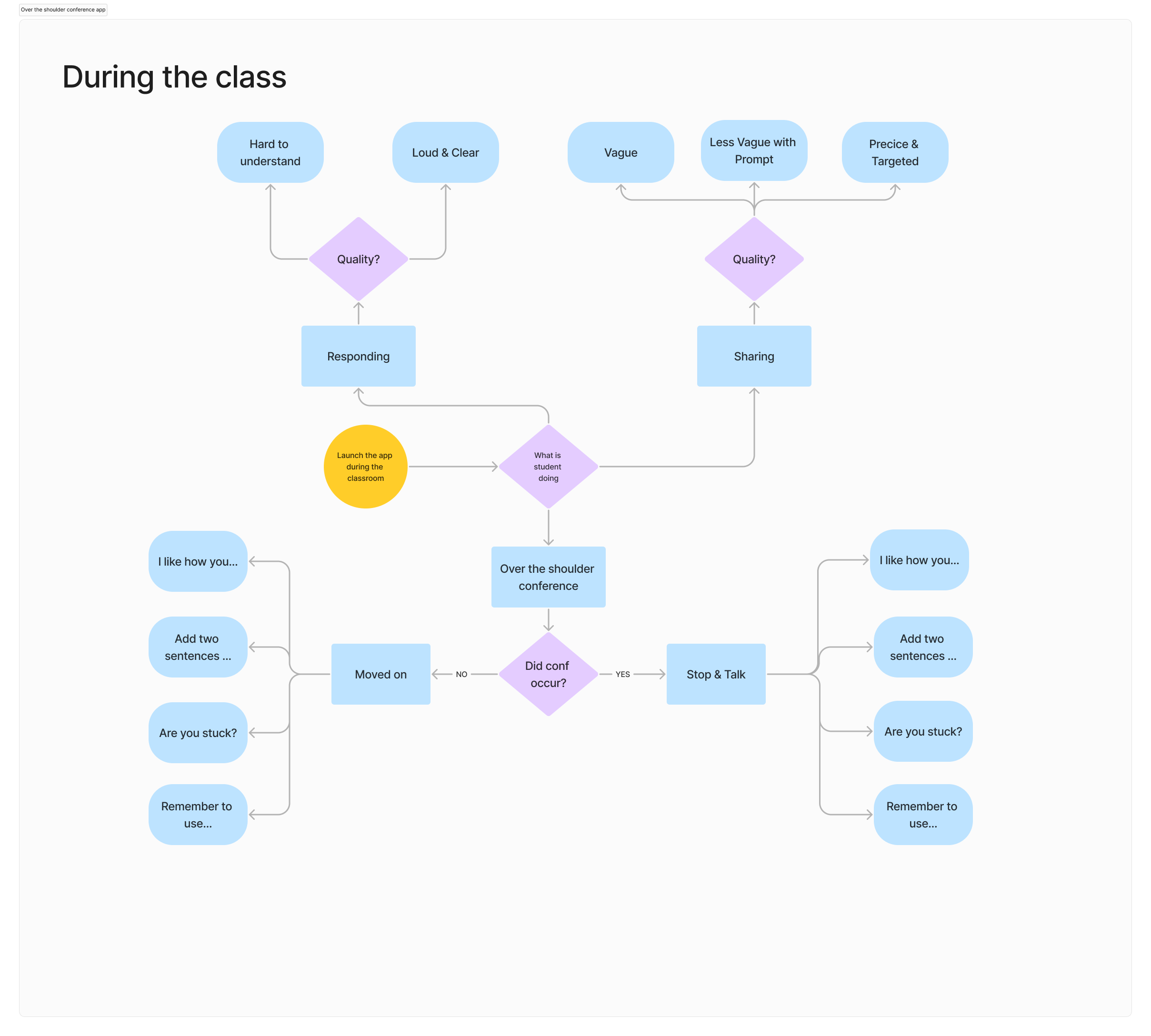
Concept and flows コンセプトとフロー
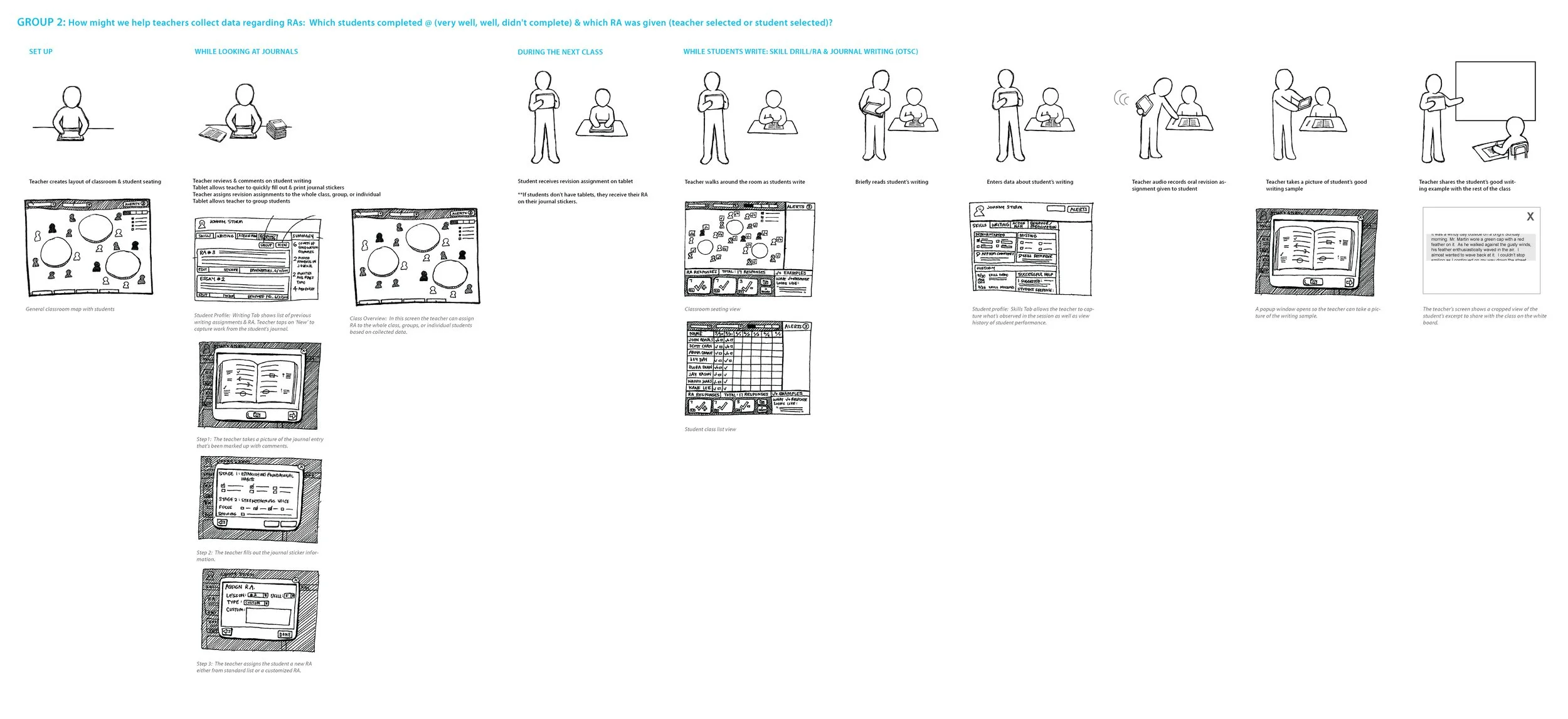
Charrette process and application flows mapping how a teacher observes, logs, and supports — in motion through the room. チャレットの手順と、アプリのフロー。教室を歩きながら観察・記録・支える動きを図示した。
Product — classroom UI プロダクト — 教室向け UI
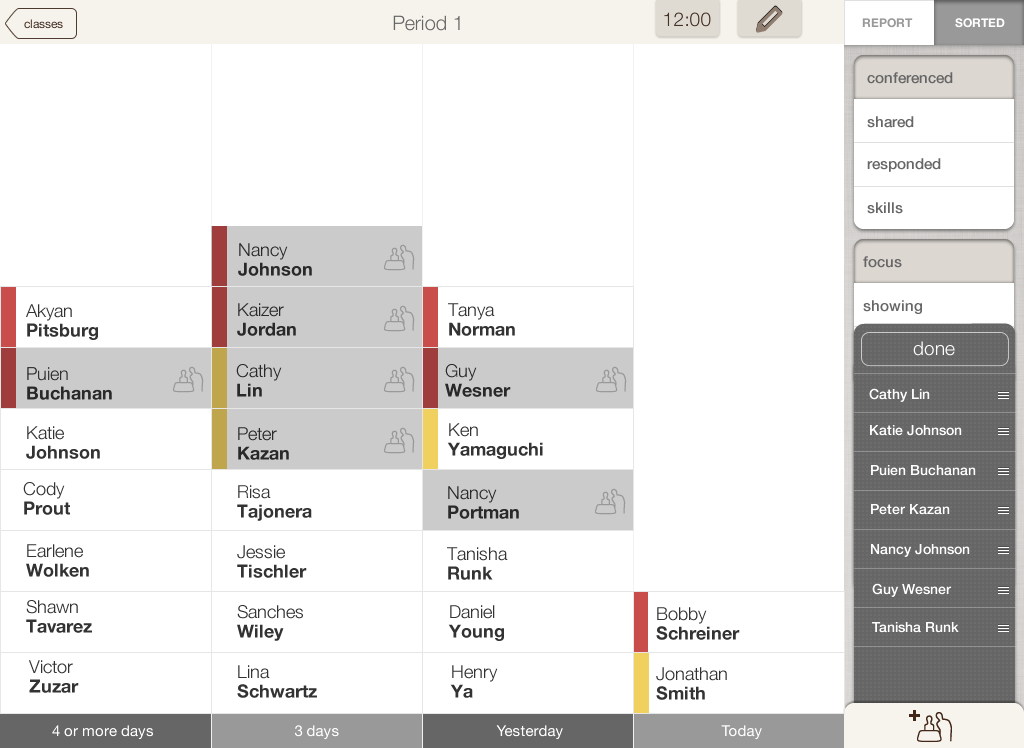
Donut-wheel hub, roster, and conference states — large tap targets and one-tap logging for the 2–3 second window. ドーナツ型ハブ、名簿、個別指導の画面。2〜3 秒の合間に、大きなタップ範囲とワンタップ記録。
Outcome — tested in real classrooms 成果 — 実際の教室で検証
Built for over-the-shoulder conferencing: walk the room, tap to log, stop beside a student who is stuck — so a class of 40 keeps moving. 肩越しの個別指導を想定。教室を歩き、タップで記録し、つまずいた生徒の横で支える。40 人のクラスが止まらない。
5
prototype iterations in classrooms教室での試作 5 回
1-Tap
per interaction (vs. three before)操作はワンタップ(以前は 3 回)